Clean Markdown. Fast.
Run a read-only check without a permanent install. Use rumdl defaults or keep your markdownlint configuration; one native binary finds, explains, and fixes Markdown across your terminal, editor, and CI.
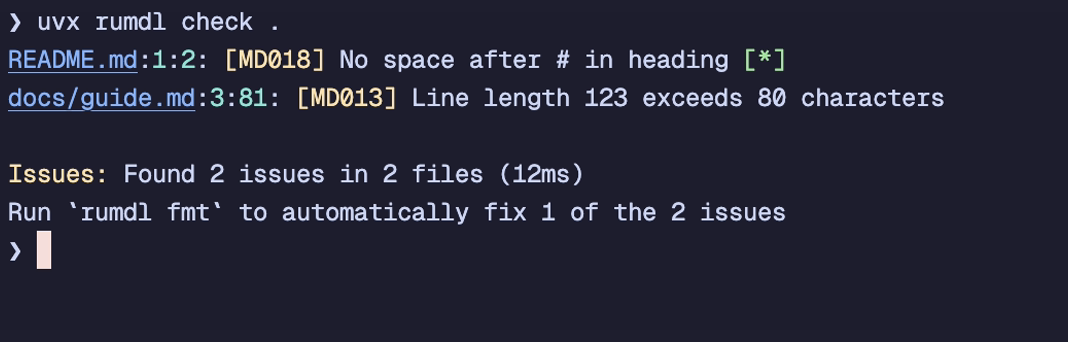
Run a read-only check now
uvx rumdl check .
The first run does not change files. rumdl works immediately and discovers common markdownlint configuration automatically.
One engine, every workflow. Run rumdl in the CLI, through its built-in language server, in CI, or as WebAssembly in the browser.
Trusted in public repositories including Firefox, Docker Docs, Apache Lucene, PyO3, and Rustlings. See the adopter list.
From warning to clean Markdown in one loop
Diagnostics stay precise and fixes stay close to the source, whether you are checking one file or an entire repository.
-
rumdl check .Find the exact problemRule, file, line, column, and a clear explanation. -
rumdl check --fix .Apply safe fixesFix what can be automated and keep manual work explicit. -
rumdl fmt .Keep it consistentFormat Markdown predictably across local and CI workflows.
Fast enough to stay in the loop
The published February 2026 snapshot measures the Rust Book repository with application caches disabled.
| Linter | Mean time | Relative to rumdl |
|---|---|---|
| rumdl | 217 ms | 1.0× |
| markdownlint-cli2 | 2.2 s | 10.2× |
| markdownlint-cli | 2.7 s | 12.5× |
Repeated rumdl checks can also skip unchanged files. See the method, results, and limitations.
Meet your Markdown where it lives
Keep one rule set across formats and tools without adding a runtime to every environment.
90 lint rulesBroad markdownlint compatibility with direct, configurable diagnostics.
Multiple Markdown flavorsGFM, MkDocs, MDX, Quarto, MyST, and more.
Editor-native feedbackA built-in language server with diagnostics, quick fixes, and formatting.
CI-ready outputGitHub, GitLab, Azure, SARIF, JUnit, JSON, and other structured formats.